Tablet or 2‑in‑1? Finding the Perfect Portable Companion
Unsure between a tablet and a 2‑in‑1? Compare portability, power, battery life, and apps to pick the right travel-friendly device for you.
Know Your Needs
Choosing between a tablet and a 2‑in‑1 starts with a clear understanding of your use case. If your day revolves around reading, streaming, social browsing, light note‑taking, and quick photo edits, a tablet's touch‑first simplicity and featherweight portability are compelling. If you anticipate longer writing sessions, complex documents, spreadsheet crunching, presentations, or mixed creative tasks, a 2‑in‑1 offers flexible postures and laptop‑class tooling that can better match your productivity needs. Think about how and where you work: on a sofa, an airplane tray, a cafe table, or a lecture hall. Consider how long you need to be away from outlets, the importance of battery life, and whether you prefer a minimalist slate or a device that feels like a laptop when duty calls. Students, commuters, and casual creators often gravitate to the grab‑and‑go ease of tablets, while consultants, researchers, and small‑business owners appreciate a 2‑in‑1's blend of mobility and capability. Define tasks, locations, and session length before you shortlist devices.
Design and Form
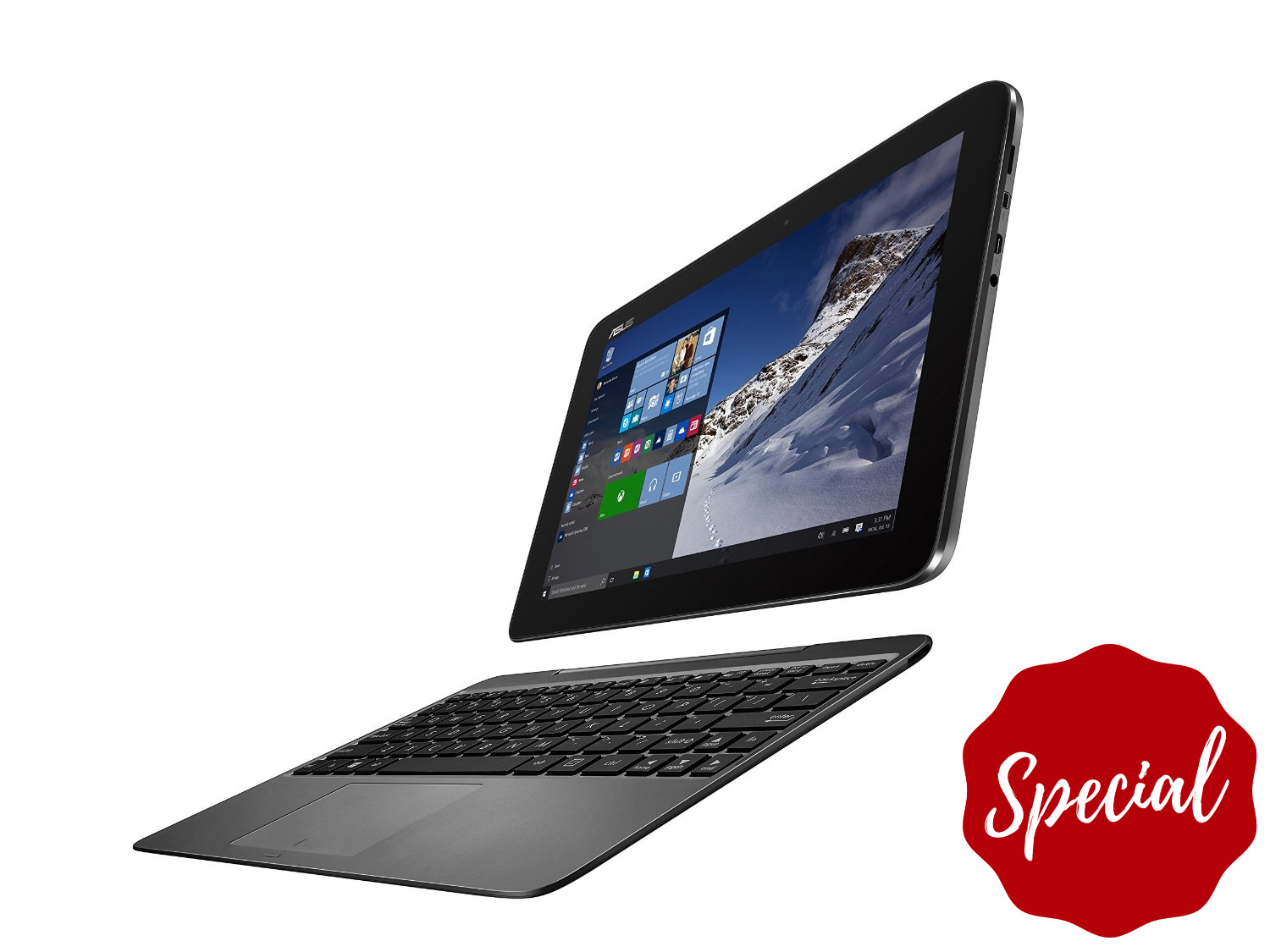
The form factor sets the tone for everyday comfort. A tablet is a slim slate that prioritizes one‑hand holdability, instant touch input, and a distraction‑free canvas. Add a detachable keyboard case and it becomes a lightweight workstation, though stability can vary by kickstand angle and surface. A 2‑in‑1 may be convertible with a 360‑degree hinge or detachable with a rigid keyboard, delivering better lapability, a larger trackpad, and steadier ergonomics for long typing sessions. Pay attention to weight distribution, hinge stiffness, and how the device balances on a knee or small table. Displays with comfortable aspect ratios, reduced glare, strong brightness, and durable glass improve reading and sketching. Tighter bezels look modern but can complicate grip; a subtle edge can help. Materials matter too: metal frames feel premium and dissipate heat, while soft‑touch coatings boost comfort. Your favored posture, whether couch surfing or desk duty, should guide this design choice.
Power and Endurance
Under the hood, performance and battery life define how confidently a device handles your workload. Many tablets lean on high‑efficiency chipsets that excel at bursty tasks like web pages and app launches, paired with passive cooling for silent operation. 2‑in‑1 machines often offer higher sustained performance, active cooling with discreet fans, and room for more RAM and faster storage, better suiting large spreadsheets, code compilation, or layered creative projects. Consider whether your work is short and spiky or long and sustained; thermal design and power envelopes make a big difference over a full day. Assess battery claims critically, factoring in screen brightness, background sync, and video calls. Features like adaptive refresh, efficient standby, and fast charging can extend real‑world endurance. If you plug into external monitors or run heavy multitasking, plan for a larger battery or a compact charger in your bag. Choose a balanced spec sheet that supports both peak speed and all‑day stamina.
Input and Workflow
Your workflow thrives when inputs and software align. A tablet shines with finger navigation, gesture‑rich multitasking, and a high‑quality stylus for notes or art, where latency, tilt sensitivity, and palm rejection define the writing feel. Attach a keyboard and you gain precision, but key travel and firmness vary by case design. A 2‑in‑1 typically delivers a sturdier keyboard, larger trackpad, and desktop‑style shortcuts, enabling rapid text editing, window management, and command‑heavy tasks. Consider the operating system and apps you rely on: mobile‑first environments favor streamlined, touch‑centric tools, while desktop‑class platforms unlock advanced plug‑ins, file managers, and deeper customization. If you use an external display, check scaling behavior, extended desktop support, and whether you can keep multiple windows visible without friction. Creators should evaluate color accuracy, pen pressure curves, and audio monitoring options. The ideal device minimizes friction between your ideas and the screen, letting inputs disappear behind flow.
Ports and Connectivity
Think beyond the screen to the world you plug into. Ports define how easily you attach storage, displays, and peripherals. Many tablets lean on USB‑C and wireless accessories, emphasizing simplicity and keeping weight low. A 2‑in‑1 often adds more physical options, improving docking, multi‑monitor setups, and quick ingest from cameras via card readers. If you live in video calls, prioritize a sharp webcam, clean microphones, and speakers with clear mids for voices. On the go, robust Wi‑Fi, reliable Bluetooth, and optional cellular keep you connected without hunting for hotspots. Check for support of modern charging standards, audio jacks if you prefer wired monitoring, and the ability to drive high‑resolution displays smoothly. Even small details matter, like port placement that does not clash with your grip or stand. A thoughtful connectivity suite turns your device from a solo slate into a cooperative hub for work, creation, and play.
Budget and Value
Balance budget against long‑term value. A lower entry price can rise once you add a keyboard, stylus, hub, or protective case, so compare total cost of ownership across configurations. Consider storage headroom for media and projects, since upgrading later may be limited or costly. Evaluate warranty terms, accidental damage protection, and service networks if uptime is vital. Look at expected longevity through software support, accessory availability, and how well the device meets your future workload. If you travel, a sturdier build and replaceable tips or cables can pay off. Creators might invest in color‑accurate displays and generous RAM, while writers can prioritize typing comfort and silence. Factor in potential resale value and whether your chosen ecosystem offers continuity across phone, desktop, and cloud. When possible, test typing feel, pen glide, screen reflectivity, and lap comfort. The right choice is the one you will pick up eagerly, day after day, with confidence and future‑proofing in mind.