Beginner's Guide to PC Gaming Peripherals: Mice, Keyboards, and Headsets
New to PC gaming? Learn how to choose the right mouse, keyboard, and headset—key specs, fit, and features—to boost comfort, accuracy, and immersion.
Getting Oriented
PC gaming peripherals are the tools that translate your intentions into in-game actions, and understanding them unlocks smoother performance and greater comfort. A good setup balances precision, latency, and ergonomics, while matching your genre preferences and play style. Think of a gaming mouse for accurate aiming, a keyboard for fast and consistent inputs, and a headset for clear audio cues and communication. You will also weigh wired versus wireless connections, considering battery life and potential interference against the freedom of movement and desk cleanliness. Materials and build quality matter too, from durable keycaps to breathable ear pads and flexible cables. Finally, software can amplify hardware with custom profiles, macros, and onboard memory, keeping your settings consistent across systems. Start by listing your priorities, like speed for competitive shooters or comfort for long role-playing sessions. With a clear plan, you can filter features and avoid paying for flashy extras that do not improve your real-world experience.
Choosing a Mouse
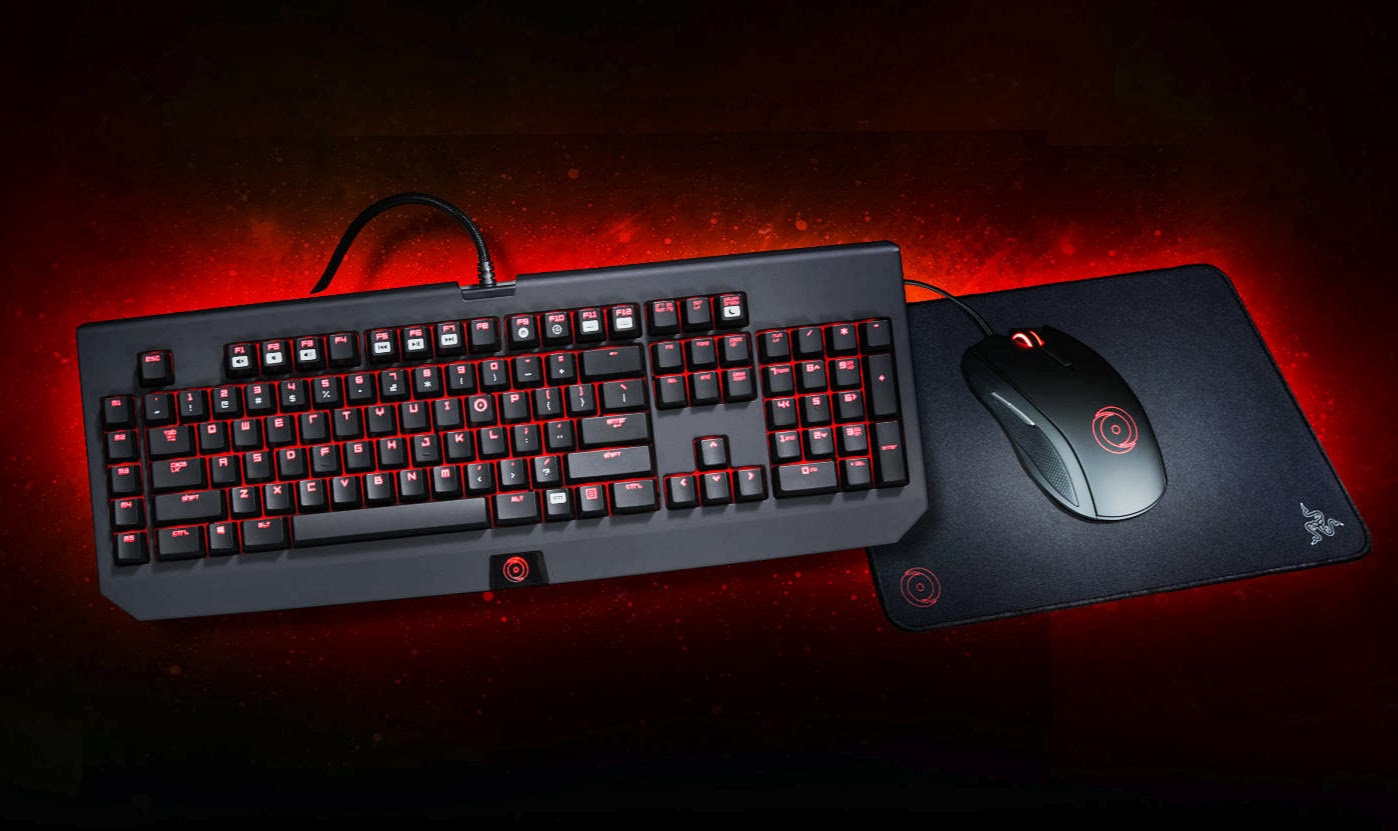
A gaming mouse hinges on three pillars: sensor performance, shape, and weight. A high-quality optical sensor delivers consistent tracking without unwanted acceleration, smoothing, or jitter, while DPI or CPI defines how far the cursor moves per inch of physical motion. For responsiveness, look for a high polling rate, which tells your system how often the mouse reports its position. Shape should match your grip style—palm, claw, or fingertip—and support natural wrist and finger alignment. Weight influences control and endurance; lighter shells can reduce fatigue for fast flicks, while moderate weight can stabilize fine adjustments. Consider side buttons for common actions, textured grips for control, and low lift-off distance to prevent tracking when repositioning. Wireless mice with a solid 2.4 GHz link can feel indistinguishable from wired models if latency and interference are managed, while Bluetooth suits casual use. Do not overlook mouse feet and a smooth surface or desk mat to minimize friction and maximize precision.
Selecting a Keyboard
Keyboards define input feel and consistency through switch type, layout, and stabilization. Mechanical switches are popular for their longevity and distinct characteristics: linear for smooth presses, tactile for a bump you can feel, and clicky for audible feedback. Consider actuation force and travel distance to match your typing rhythm and gaming needs. Layout impacts desk space and reach; full-size retains a numpad, TKL drops it for mouse room, and compact formats like 75 percent and 60 percent prioritize ergonomics and portability. Look for robust stabilizers on larger keys, PBT keycaps for durability, and sound-dampening if you prefer quieter operation. Performance features like N-key rollover (NKRO) and anti-ghosting ensure reliable simultaneous inputs. Programmable macros, per-key lighting, and onboard memory let you store profiles for different games. Wireless options trade cables for convenience, while a quality wired connection guarantees steady power and minimal input latency. Choose what supports your hands, desk setup, and genre focus.
Picking a Headset
A great gaming headset blends clear communication with immersive sound. Start with driver quality and tuning, which shape clarity, detail, and bass control. Closed-back designs isolate outside noise and emphasize punchy presentation, while open-back models breathe more and offer a wider soundstage, often helpful for positional awareness. For directional cues, many gamers prefer accurate stereo imaging, while virtual surround sound can enhance spatial perception when implemented well. Comfort matters: assess clamping force, ear pad material, headband padding, and total weight for long sessions. Microphone quality affects callouts; a flexible boom mic with noise reduction keeps your voice understandable and reduces background distractions. If you use high-impedance gear, consider whether your source can drive it or if an external amp is needed. Wireless headsets add mobility, so evaluate battery life and reliable connections. Fine-tune with EQ to match your ears and your game, prioritizing natural detail over exaggerated effects.
Software And Tuning
Modern peripherals thrive with intelligent software that unlocks customization and consistency. Mouse suites allow DPI stages, polling rate adjustments, surface calibration, and fine control over debounce time and lift-off distance. Keyboard tools enable key remapping, layered macros, lighting effects, and onboard memory so profiles travel without background apps. Headset utilities provide EQ, microphone gain and noise reduction, and optional spatial processing for a tailored soundstage. Create per-game profiles to map common actions, tweak sensitivity, and align lighting as visual feedback. Consider cross-device synchronization so changes apply across your setup, and look for firmware updates to improve stability or add features. Keep organization in mind: clear naming conventions and backup of profiles prevent confusion later. Balance flair with function; RGB can be helpful as status indicators for DPI or cooldowns, but avoid distractions. Good tuning turns decent hardware into a cohesive, responsive system that feels natural.
Comfort And Ergonomics
Performance suffers when comfort is ignored, so build around ergonomics and healthy habits. Use a mouse shape and grip that lets your wrist stay neutral, with sensitivity tuned so you can move from the shoulder for large sweeps and the fingers for fine corrections. Keep the keyboard at a comfortable height and angle, minimizing wrist extension; consider a soft wrist rest if it reduces strain for you. Shorter layouts bring the mouse closer to your centerline, improving posture and reducing shoulder reach. Explore split or tenting keyboards if you experience forearm tension. For headsets, watch clamping force, cushion depth, and weight distribution across the headband to avoid hot spots. Plan breaks, stretch your hands and neck, and experiment with desk mats that allow smooth gliding without abrasion. Cable management prevents snagging, while a clean, open mousing area supports consistent motion. The goal is sustained control with minimal fatigue, not just momentary bursts of speed.
Smart Buying And Care
Approach peripherals with a clear budget and a list of must-have features tied to your games. Fast shooters may value low-latency mice and lightweight builds; strategy or typing-heavy players might prioritize stable keys and tactile feedback; immersive adventures benefit from rich, detailed headsets. When possible, test shapes and switch types to ensure a natural fit. Evaluate build quality, warranty terms, and parts availability, such as replaceable ear pads, detachable cables, or hot-swap keyboard sockets. Plan for maintenance: clean keycaps, switches, and mouse feet, wipe ear pads, and update firmware to keep performance crisp. For wireless gear, manage battery health with sensible charging habits, and keep spare cables handy. Avoid paying for features you will not use; flashy lighting and marketing terms do not replace solid sensor performance, reliable switches, or comfortable design. With thoughtful selection and care, your peripherals will remain responsive, durable, and enjoyable across countless sessions.